Describe the audience
“Find operations leaders at growing logistics software companies in the UK. Exclude current customers and agencies.”
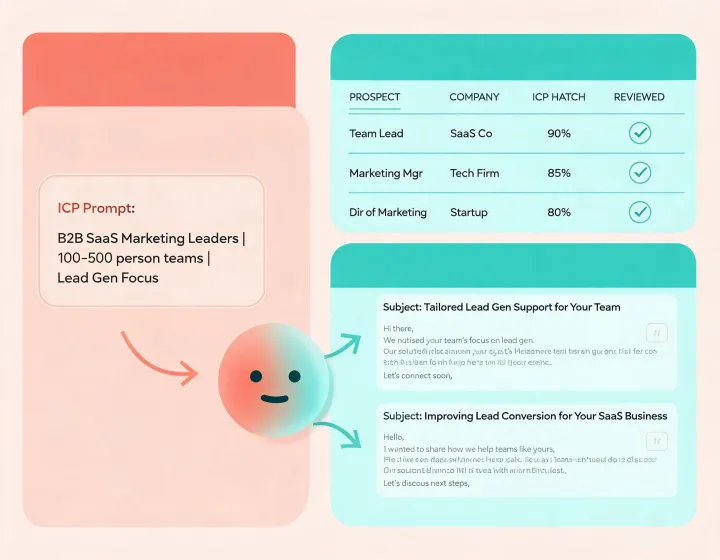
Give your AI agent an ICP, exclusions, and a goal. lemlist guides research, enrichment, message drafting, and approval without hiding the evidence or pretending automation replaces judgment.
See the four-step install path →“Find operations leaders at growing logistics software companies in the UK. Exclude current customers and agencies.”
Check firmographic fit, role relevance, data source, freshness, unknown fields, and any exclusion that needs human resolution.
Create a short message tied to a defensible business observation, with no invented trigger, fake familiarity, or unsupported promise.
Confirm recipients, suppression rules, sending domain health, opt-out language, and regional requirements before any outreach.
Turn a narrow market thesis into a small, evidence-backed list and concise messages worth personally reviewing.
Standardize firmographic and technographic checks while leaving ambiguous accounts visible instead of silently forcing a fit.
Plan waterfall enrichment, field precedence, update rules, and CRM write-back before connecting live records.
Separate client criteria, suppression lists, approval notes, sender setup, and outcome reporting across engagements.
npx -y @okki-global/okki-go-taroballClipboard confirmation means the command was copied, not installed.
Execute it in a supported terminal and inspect the package name, prompts, and completion output.
Add provider credentials through scoped environment secrets. Never paste keys into prompts, source files, or shared exports.
Use known accounts, verify identity and provenance, then review every field and draft before expanding the workflow.
No. Installation, provider configuration, research, drafting, approval, and sending are separate states. Keep sending behind an explicit human decision.
Data behavior depends on the services you configure. Document permitted use, field provenance, freshness, rate limits, and deletion workflows.
No. Relevance, list quality, authentication, volume, reputation, copy, and recipient behavior all influence outcomes.
Honor suppression and unsubscribe requests promptly, maintain durable records, and review the rules that apply to each target region.